Start here
Setup guide
Nine steps, in order. Take your time — nothing here needs to be done today.
Risk: Leveraged trading can lose money, including your deposit. Past results don’t guarantee future ones — only use money you can afford to lose.
Step 1
Open the sign-up link in your email
Use the CopyX sign-up link from your guide email (or sent by the person who invited you). It links your new account to them.Step 2
Create your CopyX account and verify your email
Register with your own details, then click the link in the verification email.Step 3
Click “Login to CopyX” to reach TAG Markets
On your CopyX profile, scroll down to the CopyX Registration panel and click Login to CopyX. This takes you to TAG Markets, where you use the same login. If it doesn't work, do a password reset on TAG Markets. Don't register directly on the CopyX platform — the accounts won't be linked.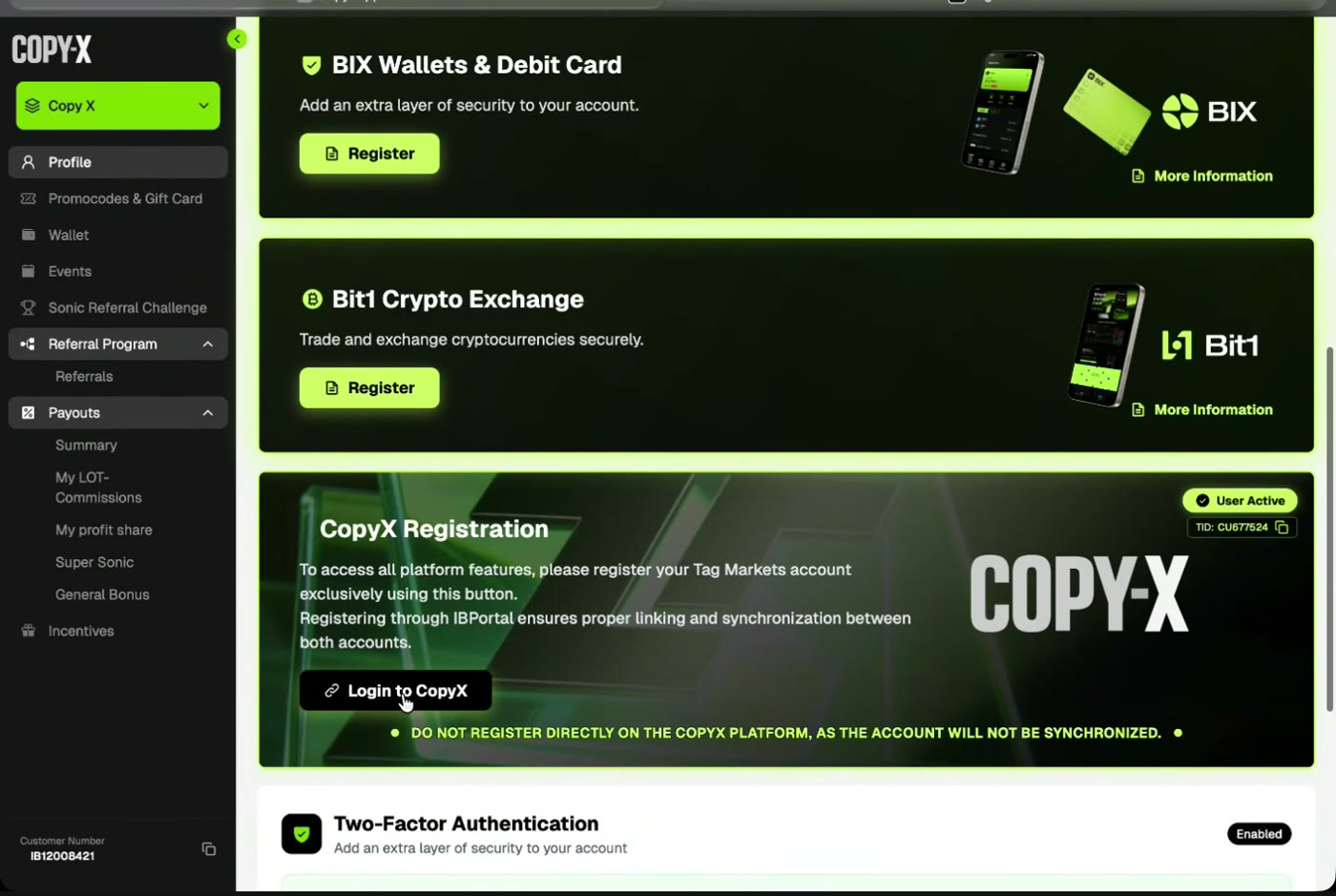
CopyX profile: “CopyX Registration” panel with Login to CopyX (register through this, not directly on CopyX) Step 4
Turn on two-factor authentication (recommended)
Enable 2FA on both CopyX and TAG Markets. It can wait until later, but it's worth doing.Step 5
Verify your identity in “My Profile”
In TAG Markets, click My Profile and complete document verification and the KYC check. Choose your actual country of residence — this service is not open to US residents, and you should only sign up if it's available where you live.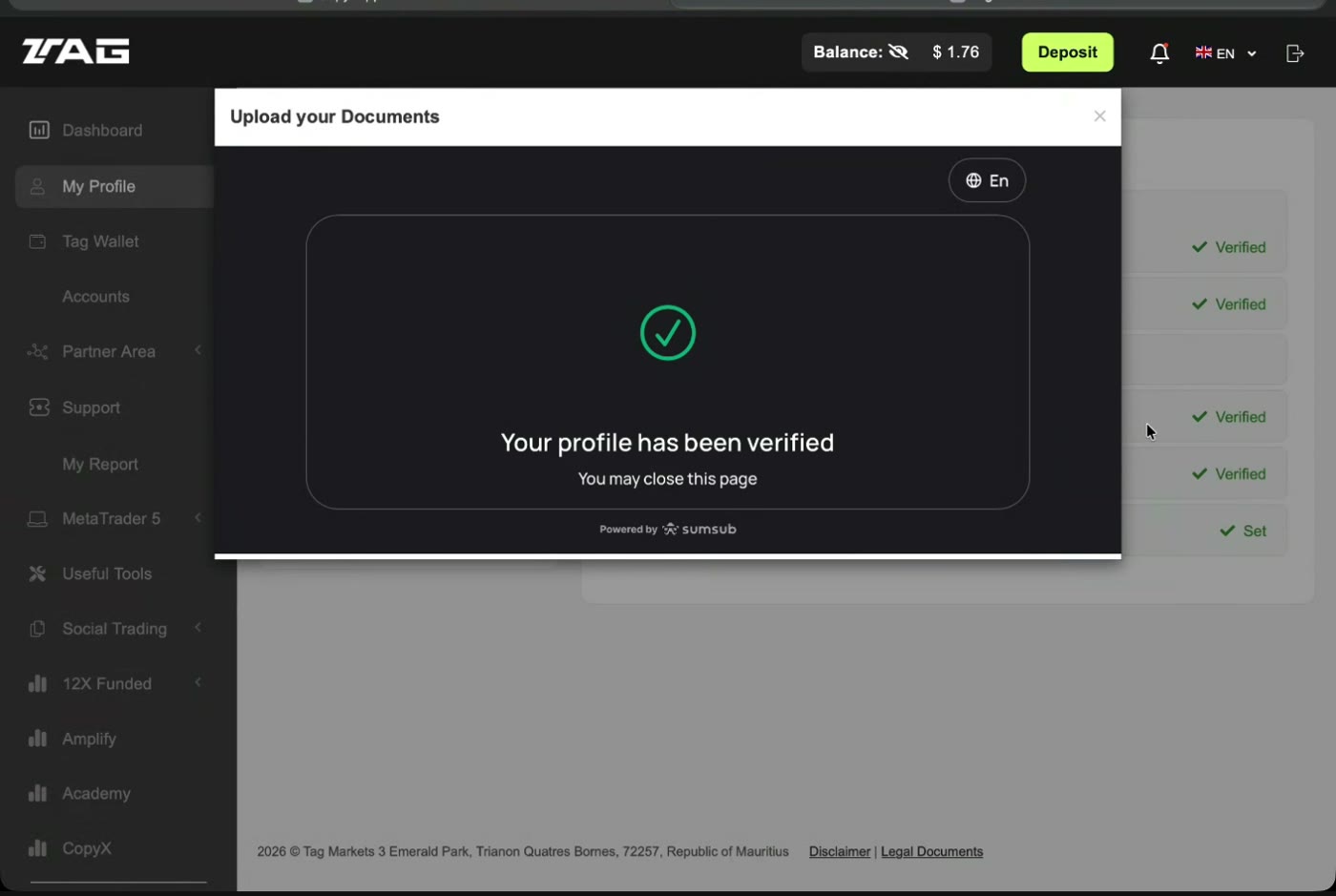
TAG portal: identity documents uploaded and profile verified Step 6
Review SONIC and the terms
Look at the SONIC strategy page and its trading record, and read the fees and client agreement before you deposit.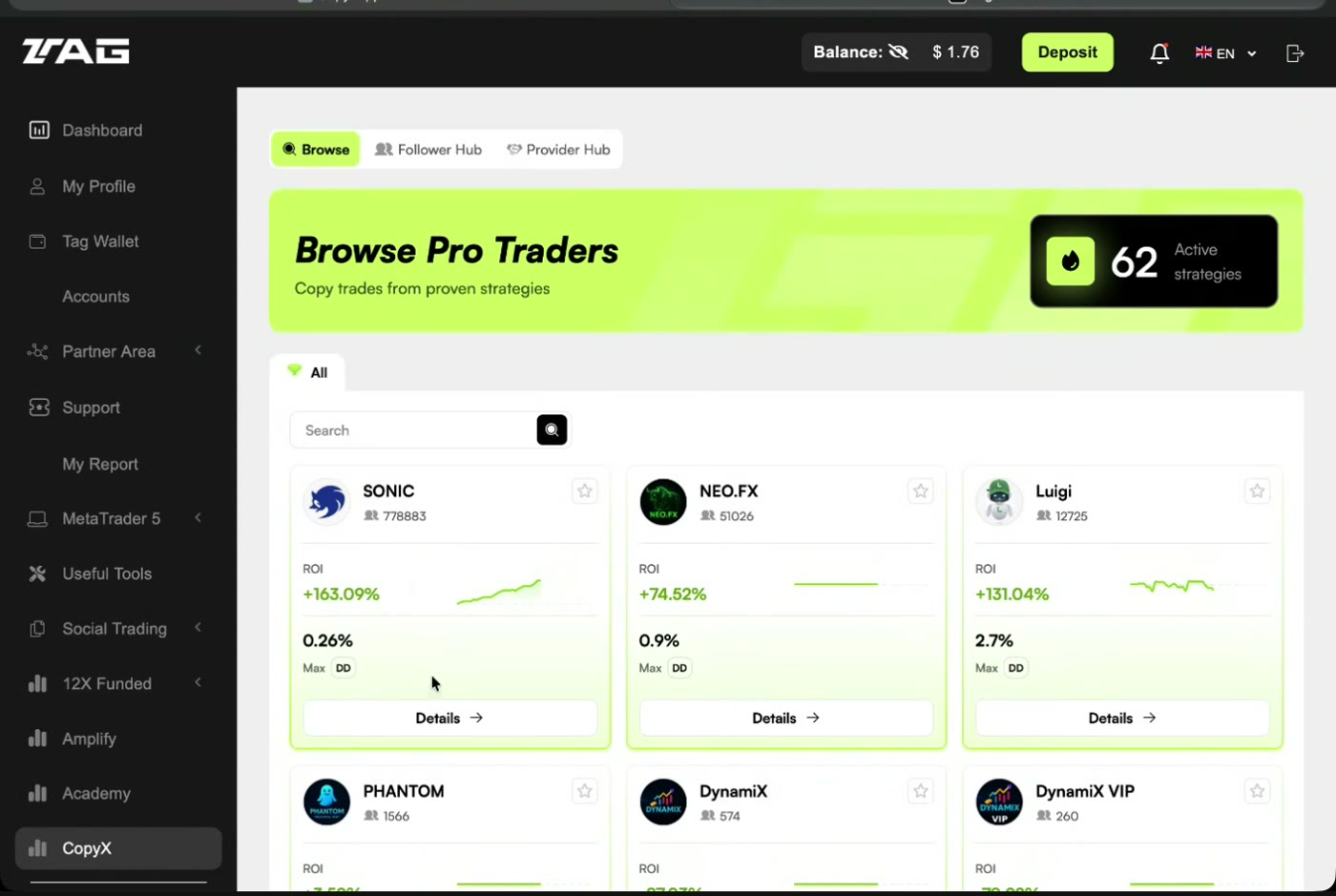
TAG portal → CopyX → Browse: SONIC listed among strategies Step 7
Make your first deposit
Once verified, use the large green Deposit button at the top. Start with an amount you can afford to lose — you can always add more later. Several methods are offered, including crypto such as USDC, ETH or BTC.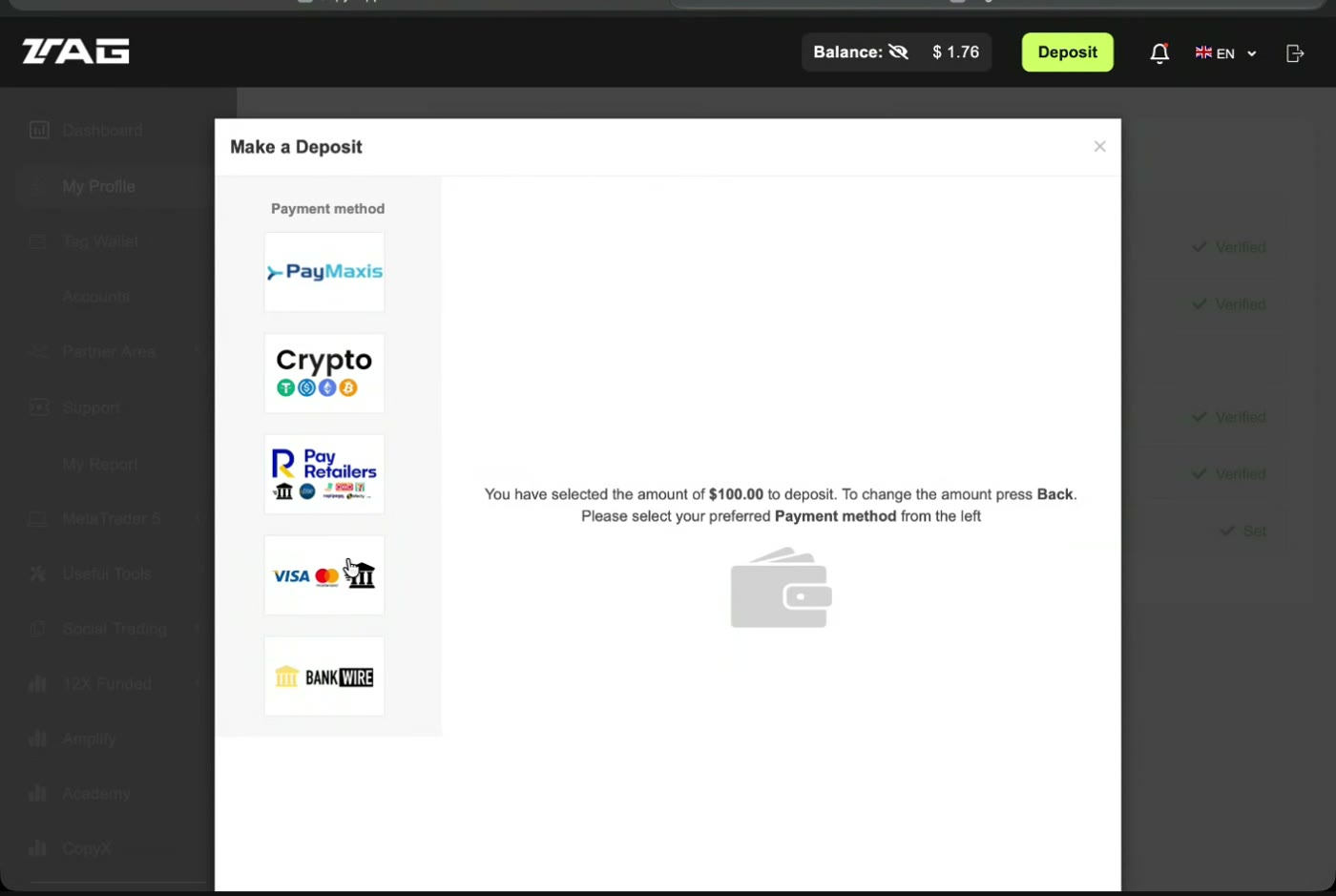
TAG portal: Make a Deposit — choose a payment method Step 8
Connect SONIC
Click CopyX (bottom left) → SONIC → Details → Connect. Then:- Enter the amount you want to trade.
- Open Community Token and enter the community token from your guide email.
- In the hash field, enter the hash from the same email. If the email says to ask your inviter, do that before continuing.
- Read and check all the boxes, then click Copy Now.
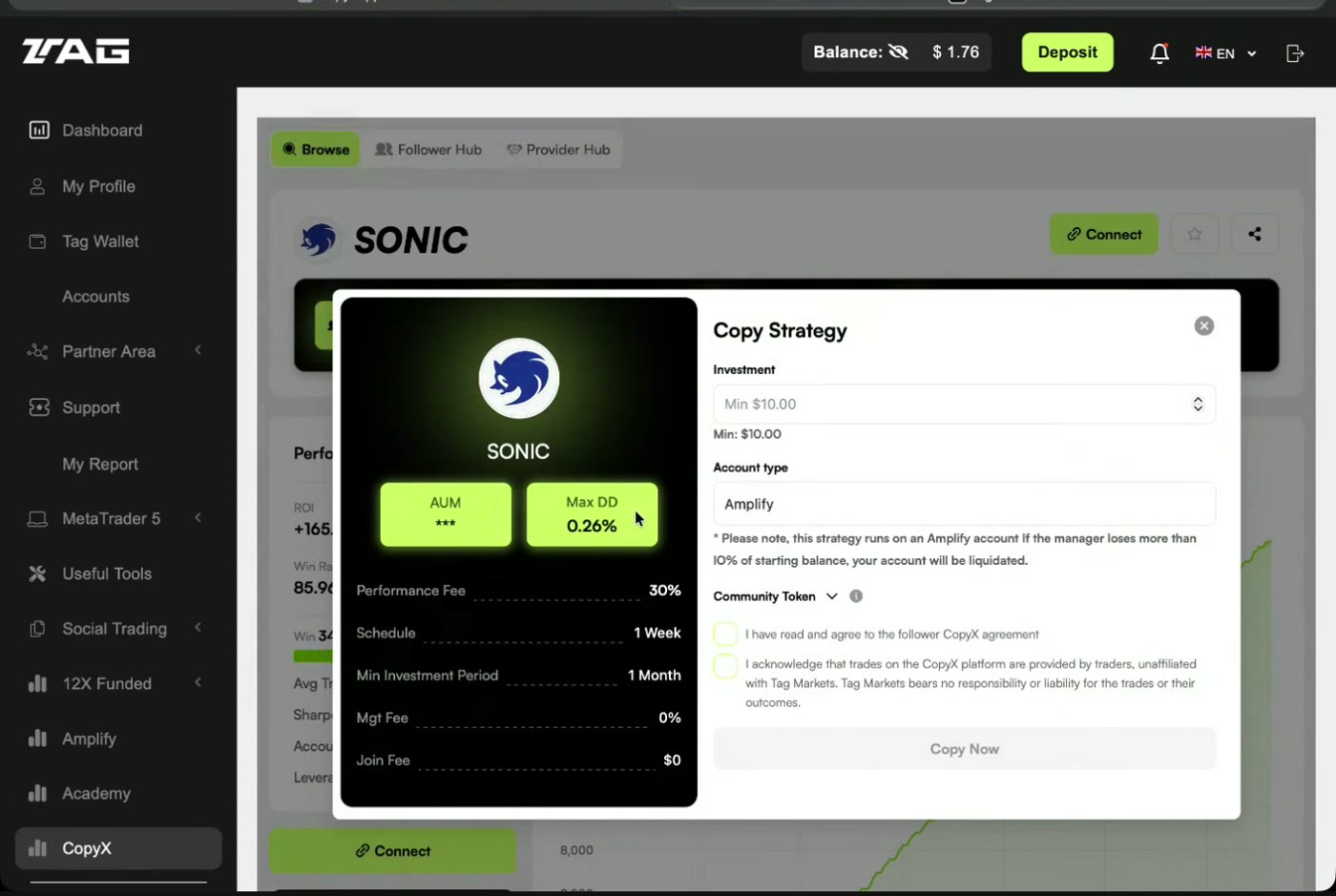
SONIC → Connect opens the Copy Strategy form (investment, account type, agreements) Step 9
Check your account in the Follower Hub
Go to CopyX → Follower Hub → Strategies. This is where you see daily results, and where the Reinvest button adds profits to your principal. Reinvesting also increases the amount at risk. Learn where withdrawals are requested too.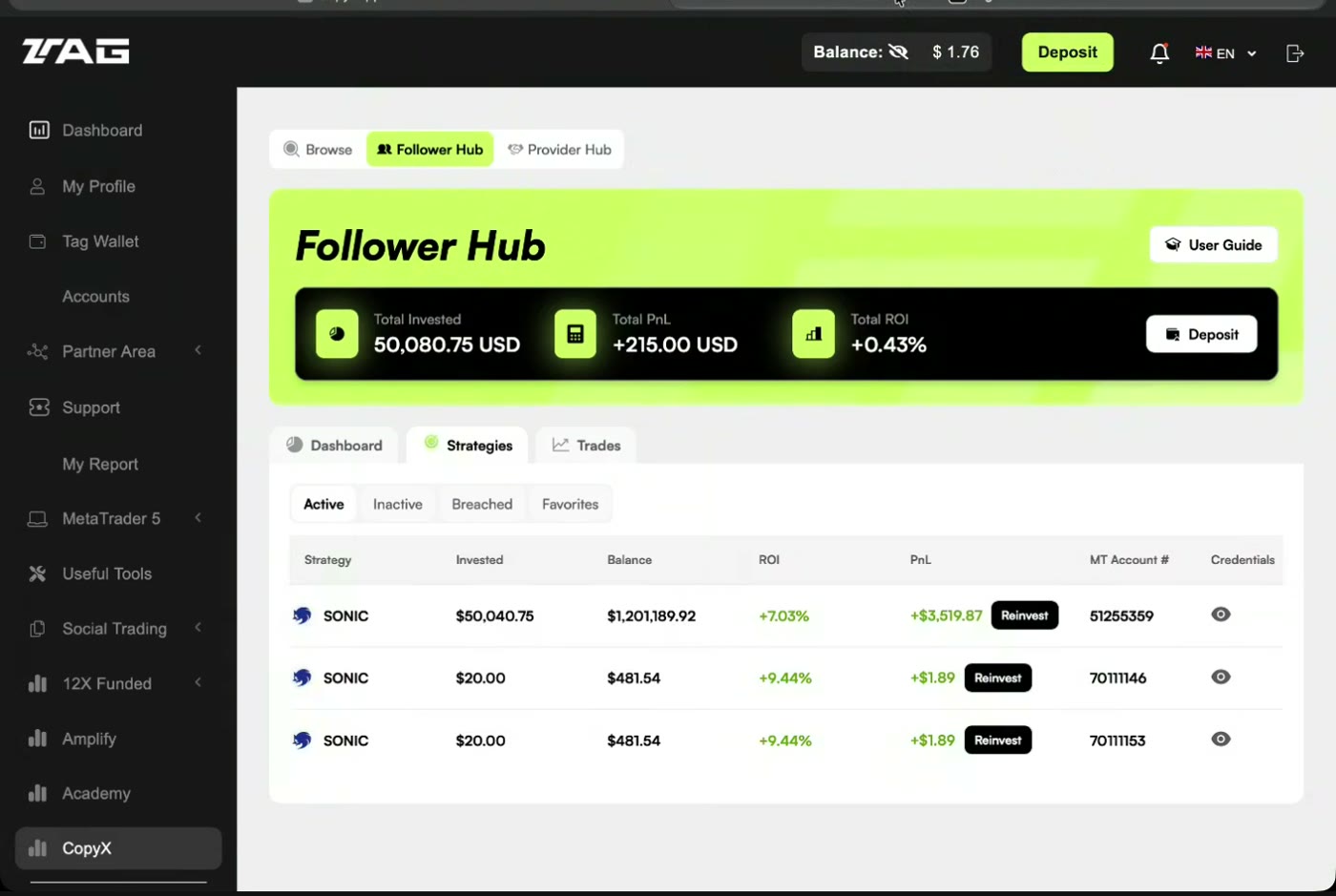
CopyX → Follower Hub → Strategies, with Reinvest